Alaners can work from an office, a coworking space or home,
but nothing in Alan Home showed where colleagues actually
were. The list of places sat in a Notion database, behind a
menu entry called "Work from everywhere" that few people
understood. We renamed it Alan hubs and turned it into a map
of every office and coworking space, from the whole world down
to a single office.
Putting Alan on a map
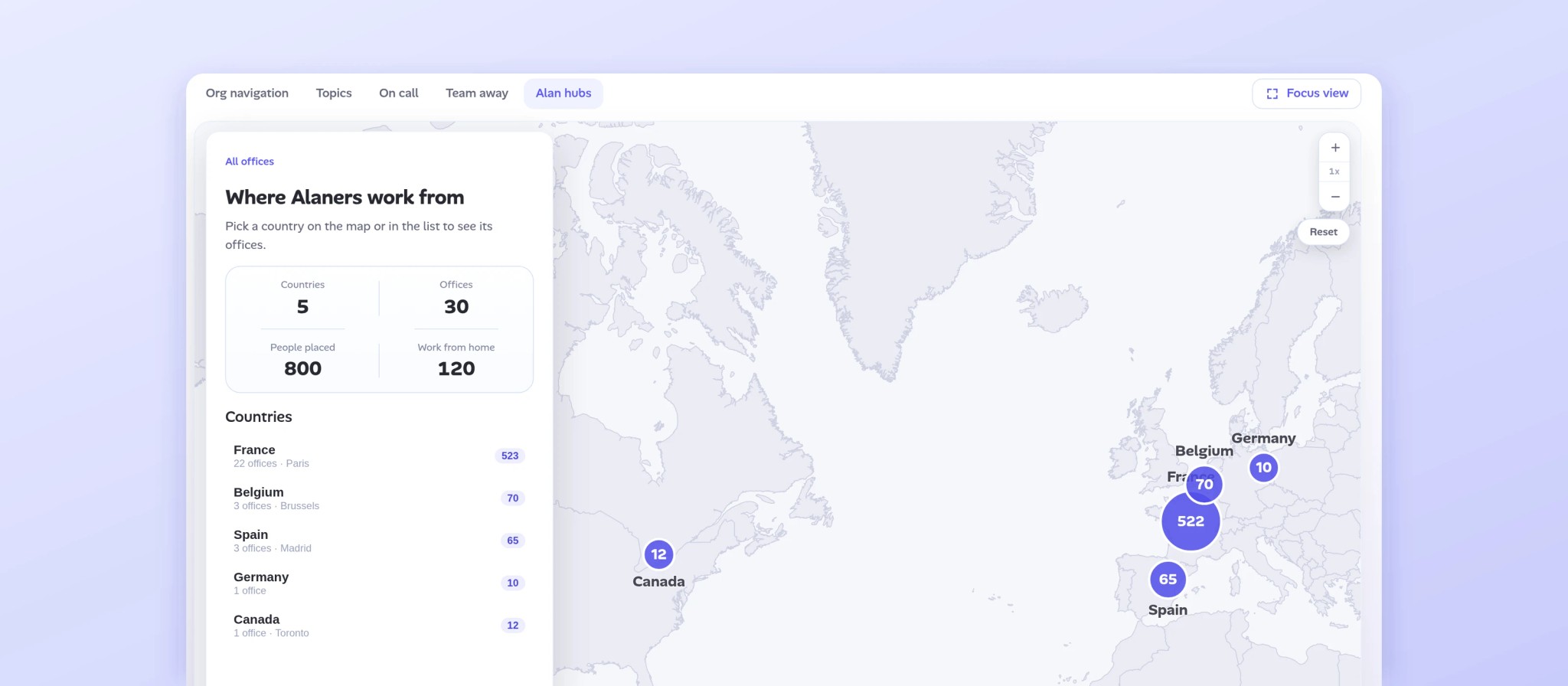
30
Offices and coworking spaces on one map.
5
Countries, from France to Canada.
3
Zoom levels: the world, a country, one office.
The Challenge
A policy people could not picture
Alaners can work from an office, a coworking space or home.
But the list of approved places sat in a Notion database,
behind a menu entry called "Work from everywhere": vague, and
easy to confuse with "Work from home".
So two simple questions had no answer. Where can I go to work
with colleagues? And when I travel, who is already there?
The Work
Rename it, then let people explore
I started with the name. "Work from everywhere" became Alan
hubs, and moved under Teams, next to the directory and
on-call.
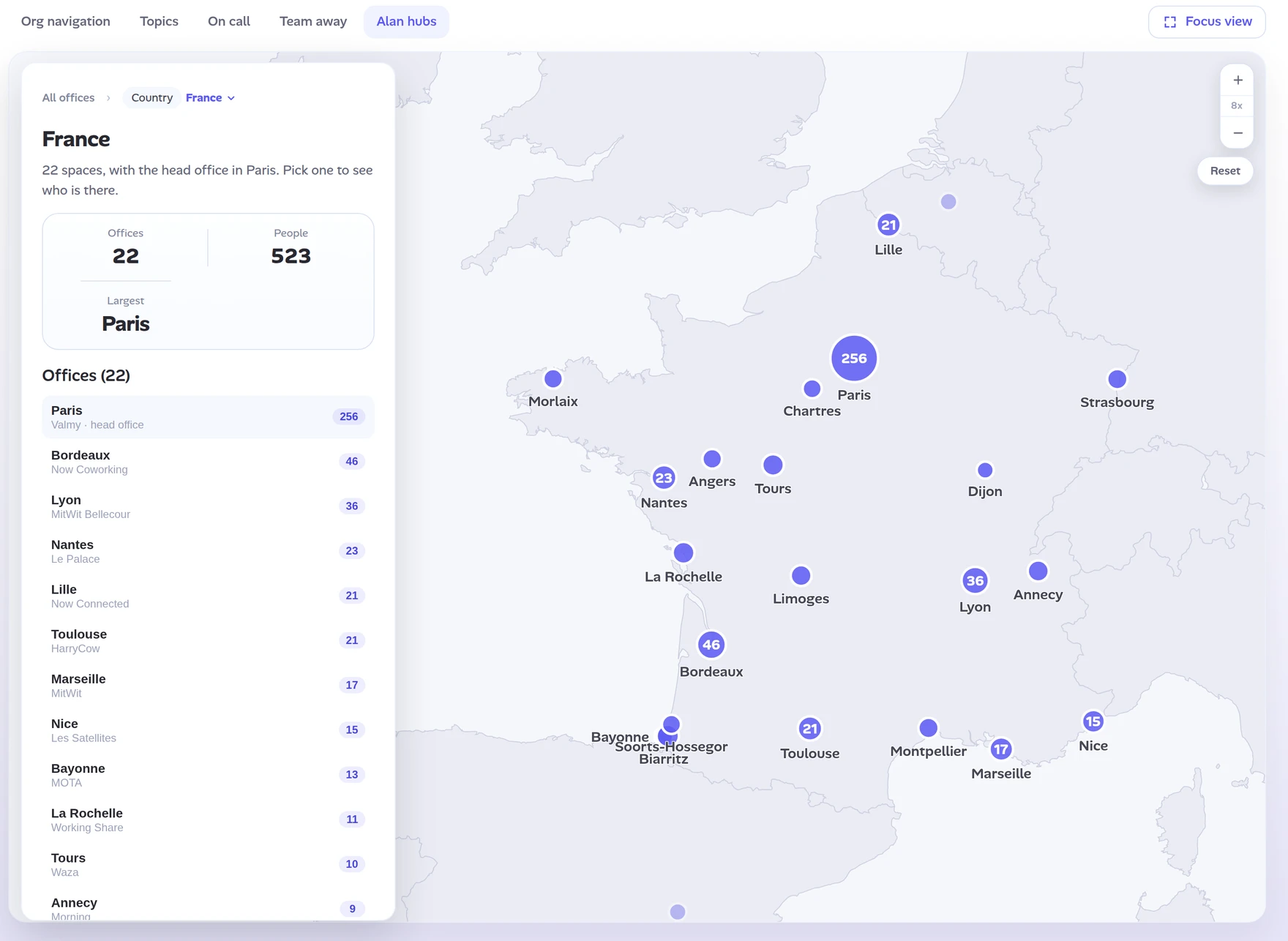
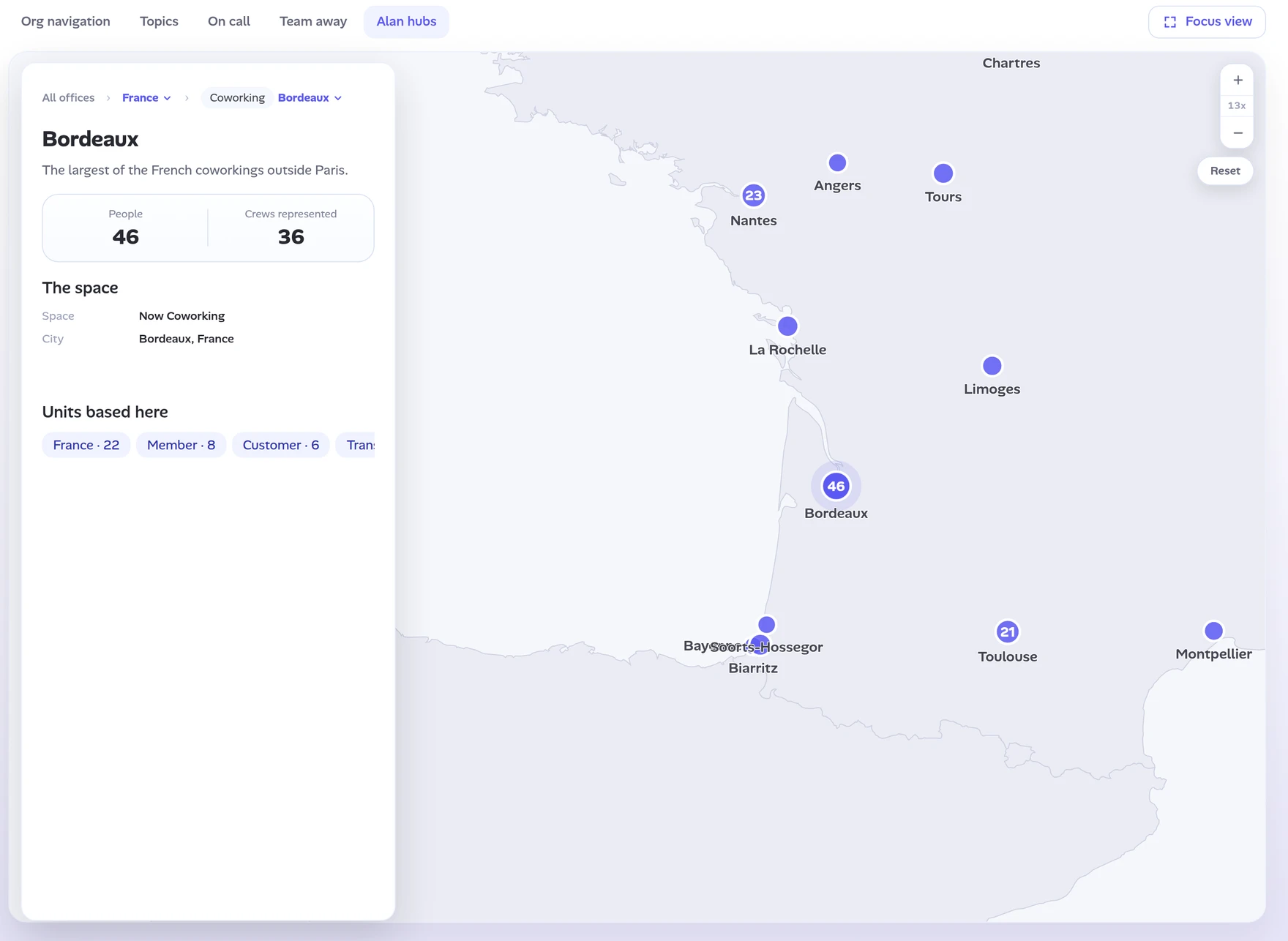
Then I made it a map, with one side panel that adapts as you
zoom. The world shows where Alaners are, country by country. A
country lists every office, busiest first. One office shows
the space, the city and the teams based there.
Small details keep it effortless: pin labels that stay
readable, a halo on the selected office, and a Reset to get
back to the world.
Both questions are now two clicks away. Engineering built it
behind a feature flag, on live data.
Prototype data
A good label does half the design work. Once the page was
called Alan hubs, the map almost drew itself: places first,
people second.